Product design · Smart home concept
Smart Plug Setup.
A clearer connection.
From the first setup to everyday use.
Less guesswork.
More understanding.
Setting up a smart plug asks people to navigate a physical device, a mobile app, and their home network at once. This personal UI UX concept makes those connections visible, with guided setup, an explained Wi-Fi choice, and recovery that starts where the problem happens.
- Focus
- UI UX & product design
- Experience
- Mobile smart home setup
- Context
- Personal design concept
01 / UI UX process
Make setup
make sense.
A personal concept for the moments between unboxing a smart plug and using it with confidence. The design focuses on understanding what is happening, choosing a compatible network, and knowing what to do when setup fails.
The starting problem
The failure is hidden.
The frustration is not.
The plug and router communicate out of sight. A generic connection error leaves someone guessing whether to change the password, move the plug, or start again.
The design question
How can every step
lead to a useful next one?
Explain the network requirement before it causes a problem, narrate connection progress, and pair each failure with a fix that preserves the person’s place.
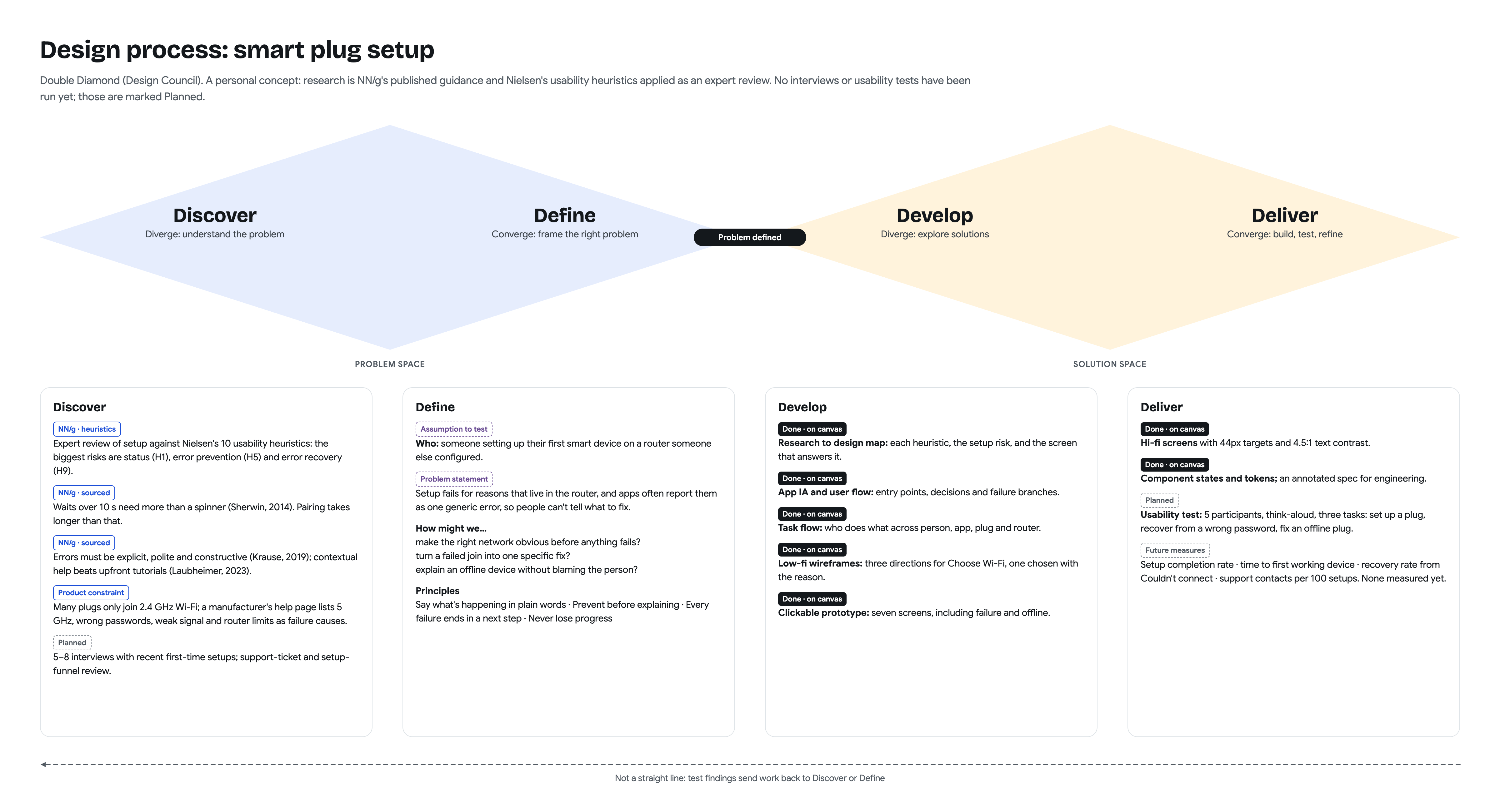
- 01
Discover
Review setup against published usability guidance, with attention to status, prevention, and recovery.
- 02
Define
Make network choices understandable and turn an unexplained failure into a useful next step.
- 03
Develop
Map the architecture and flows, compare low-fi directions, and design the setup and recovery screens.
- 04
Deliver
Document components and behavior for implementation, then plan usability testing with first-time users.
Personal design concept, informed by published guidance and an expert review. Interviews, usability testing, and outcome measures are planned; no user results have been measured.
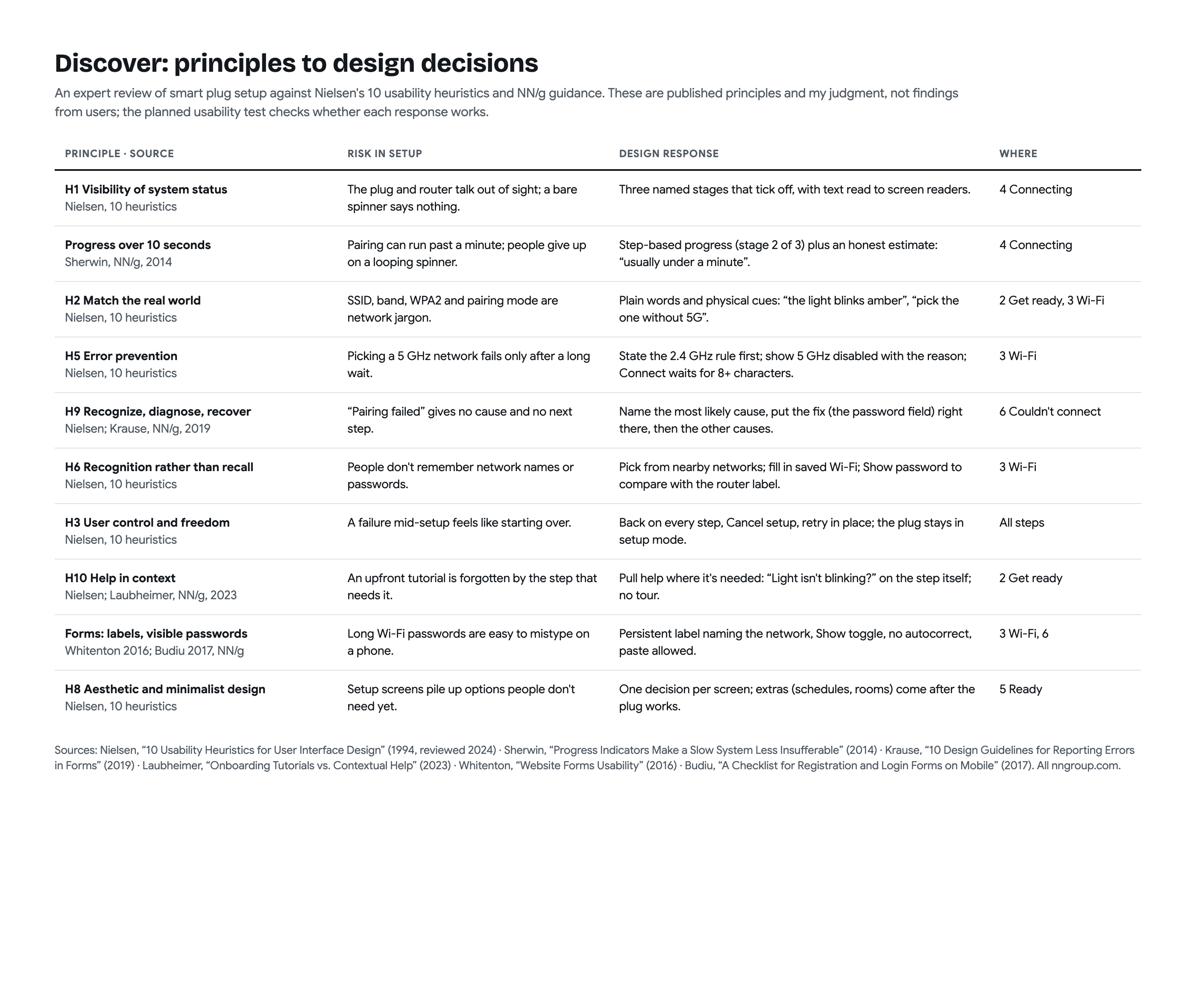
Research rationale: principles to design decisions
The review maps visibility of status, error prevention, recovery, and contextual help to specific risks and design responses in setup.
Map the experience before the screens.
The app architecture establishes where setup belongs. The task flow shows what the person, app, plug, and network each do along the way.
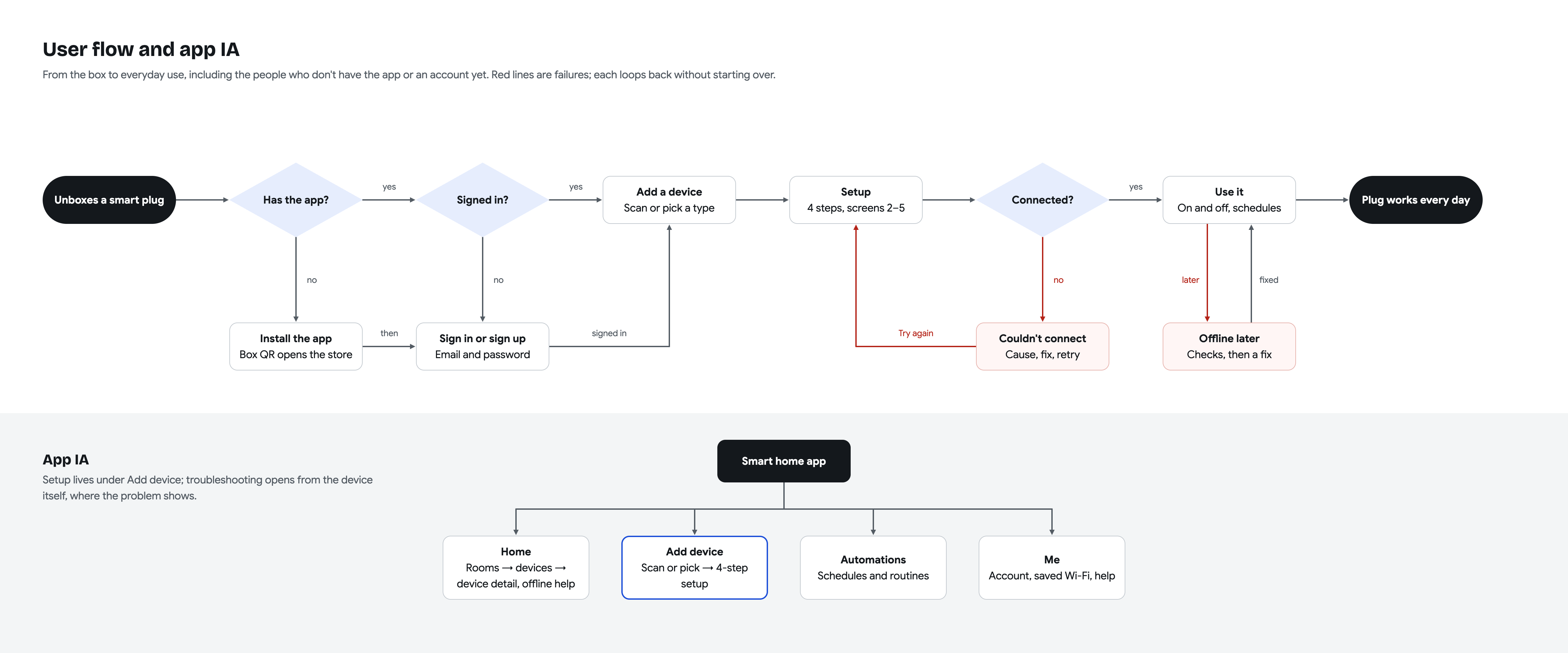
The journey includes installing the app, signing in, adding a device, and returning to it later. Setup lives under Add device; offline help opens from the device itself.
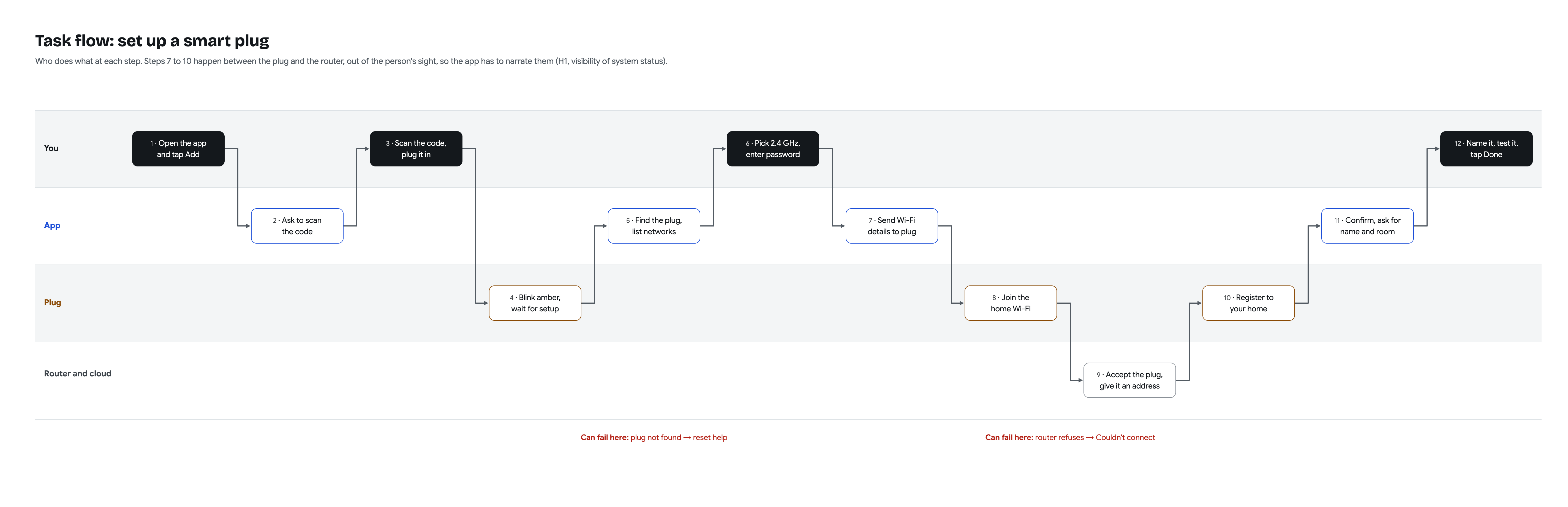
Four lanes trace the person, app, plug, and router and cloud. The app explains the steps that happen out of sight, from sharing Wi-Fi details to adding the plug to a home.
02 / Setup flow
From the box
to the first switch.
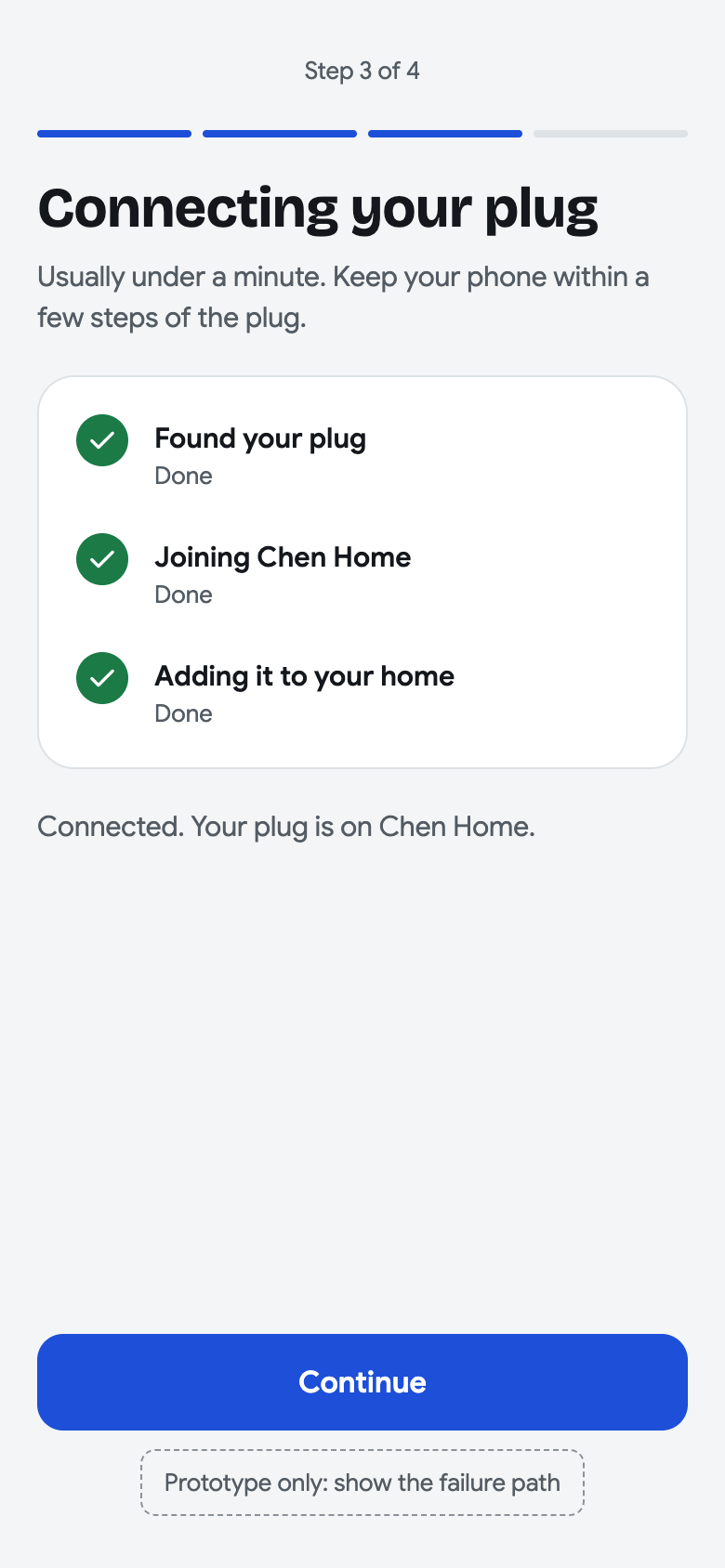
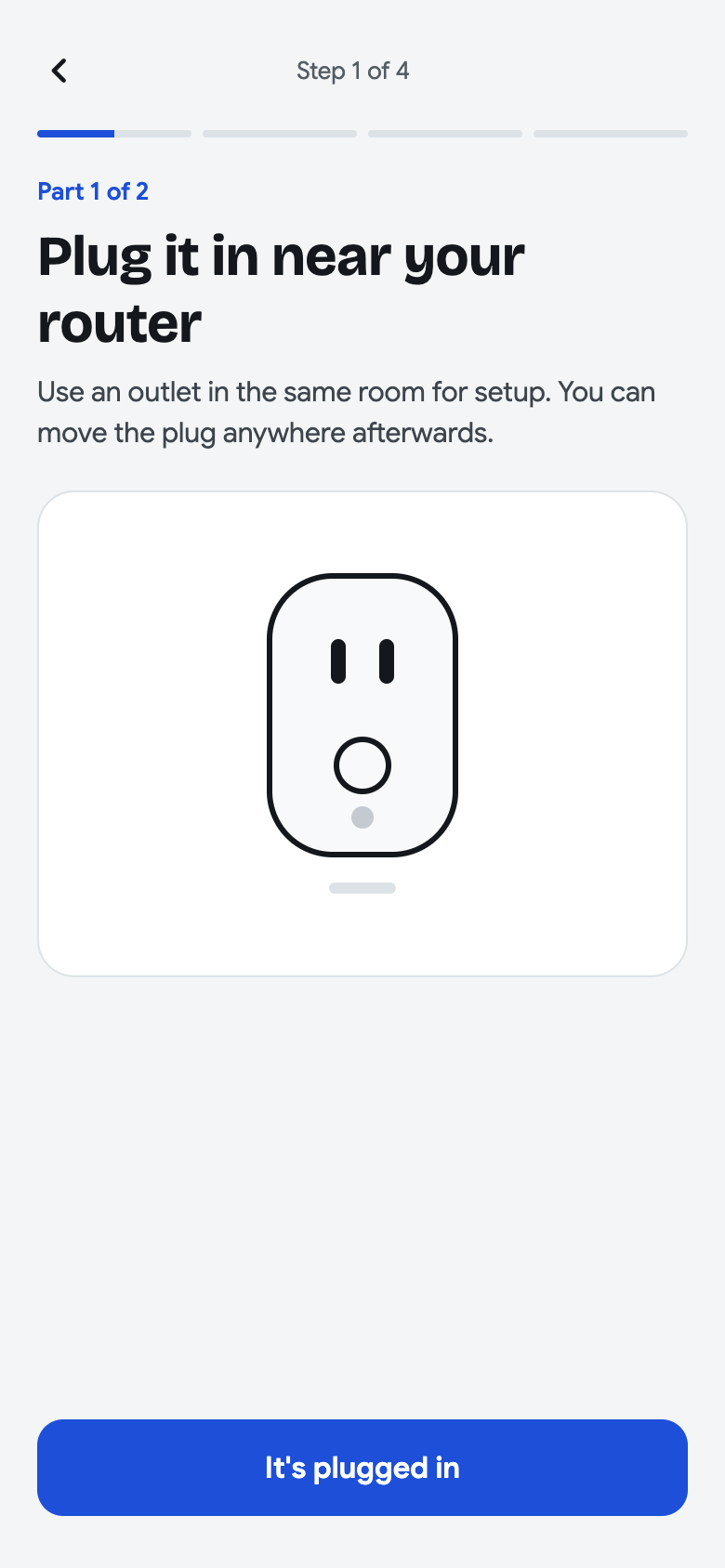
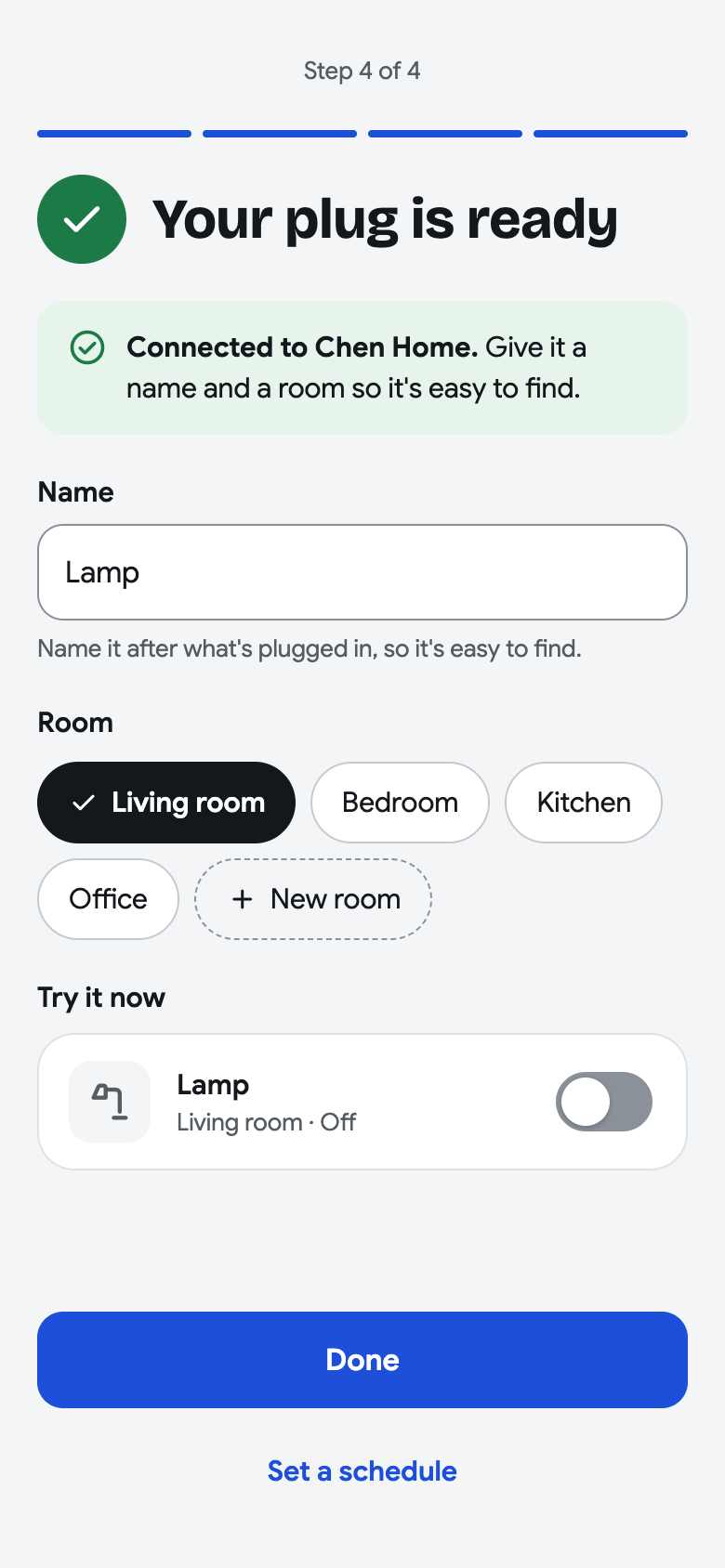
Device discovery leads into four setup steps: get ready, choose Wi-Fi, connect, then name and try the plug. Help and recovery branch from the place where the problem appears.
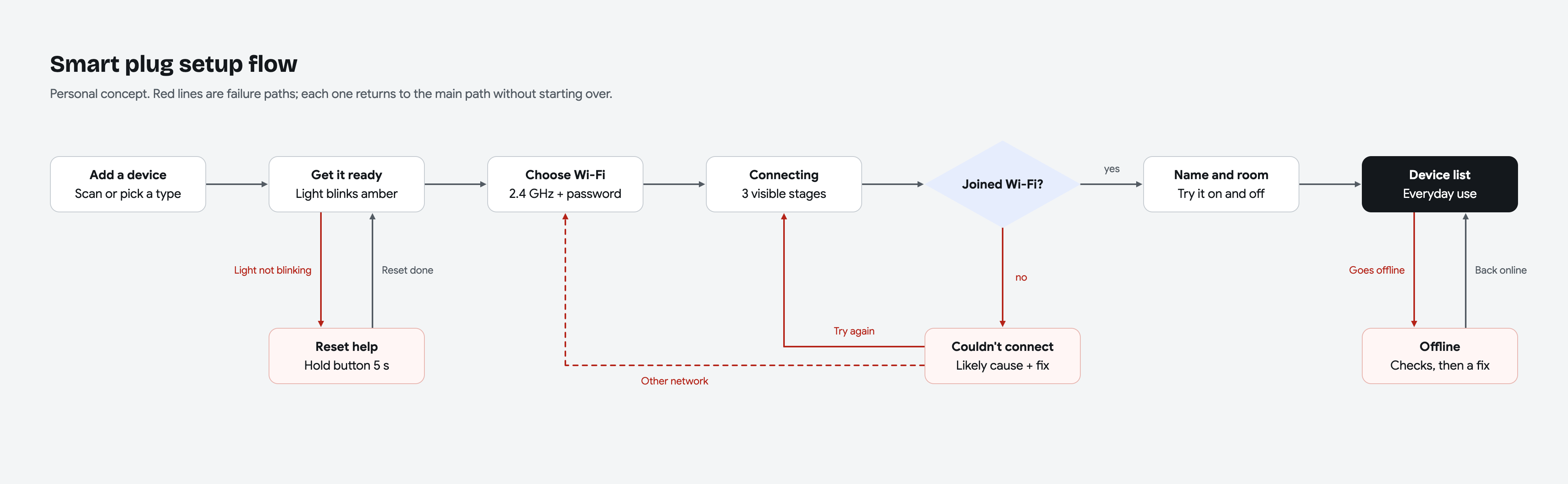
Open any board to zoom in and explore the details.
Low-fi exploration
Show the rule.
Then the choice.
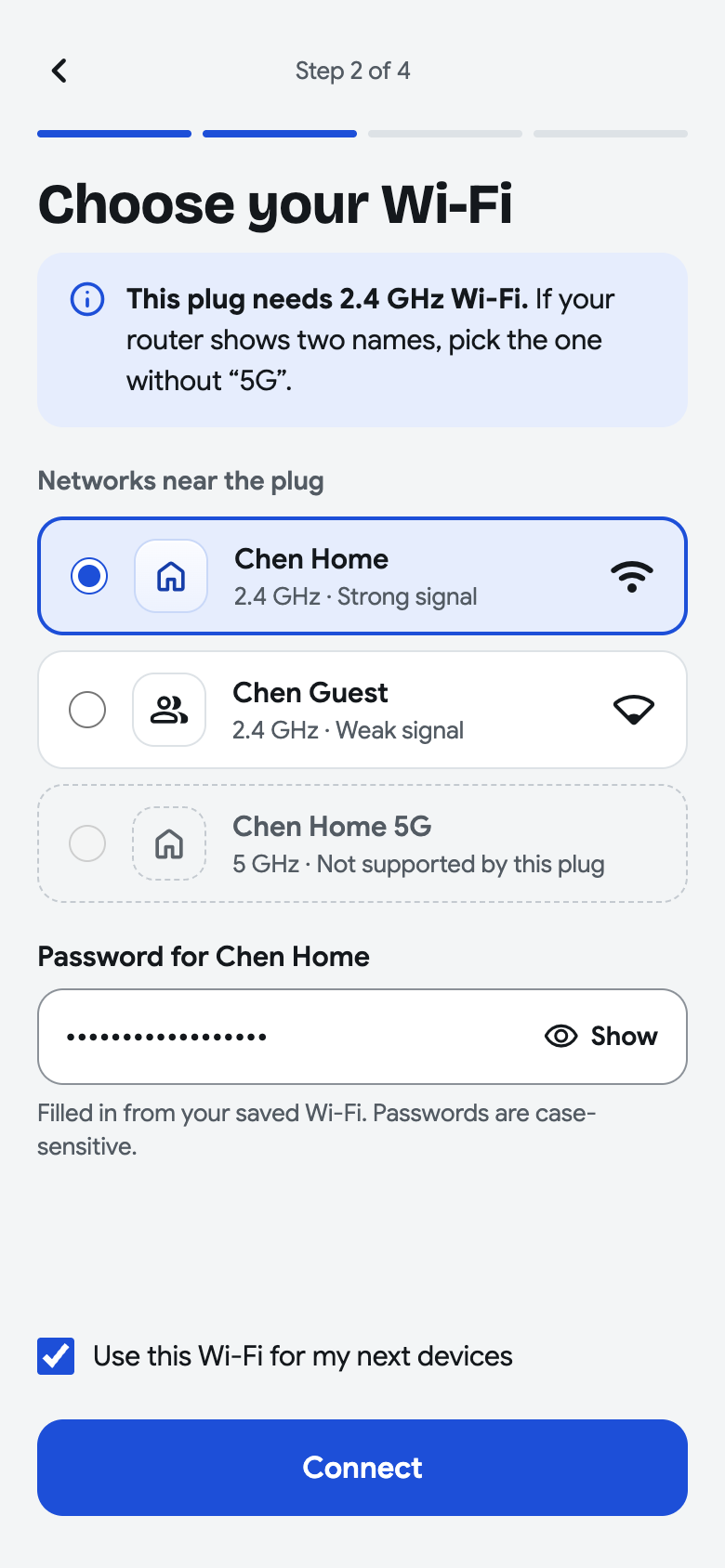
Three directions explored network selection: a visible list, automatically choosing the phone’s network, or typing a network name. The selected direction puts the requirement first and keeps unsupported networks visible with an explanation.
The tradeoff is one more decision than auto-picking. In return, the person can see the network, its signal strength, and why an option is unavailable.
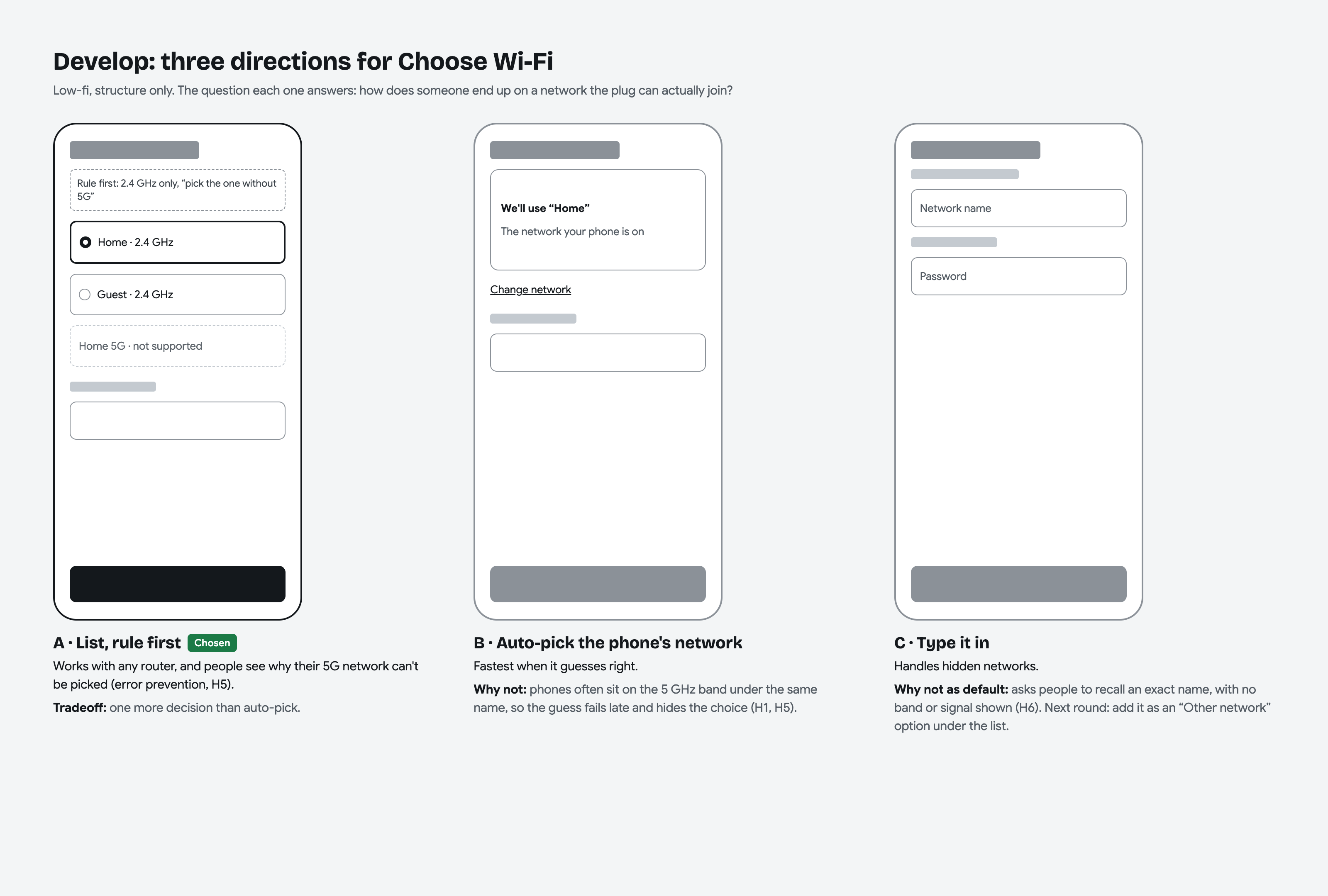
One clear decision at a time.
Explore device discovery and the four setup steps.
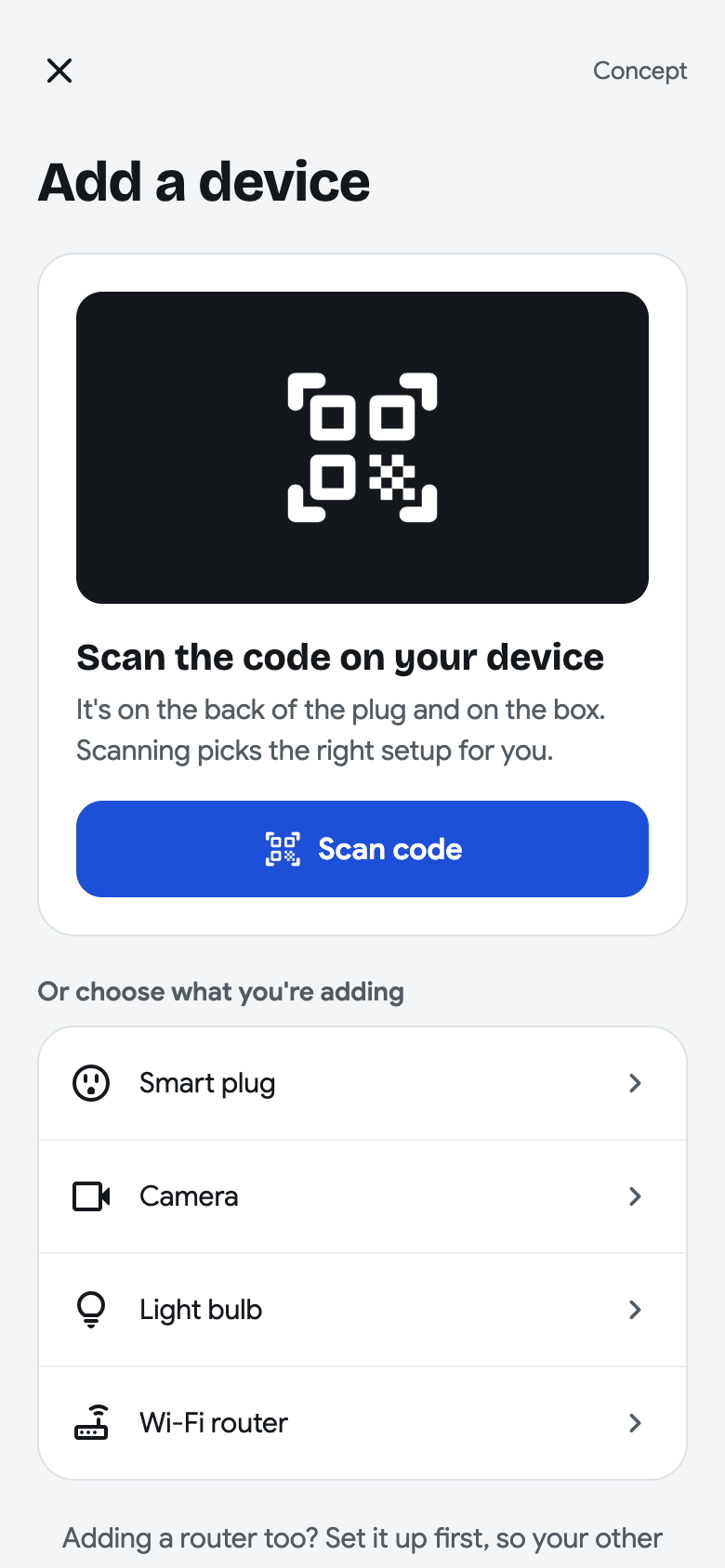
Add a device
Find the right starting point
Scan the code on the plug or its box, or choose the device type from a short list. Device discovery leads into the four-step setup.
03 / Recovery
A problem.
A reason. A next step.
The journey includes the moments when a connection fails or a device goes offline later. Specific feedback and nearby actions help people recover in context.
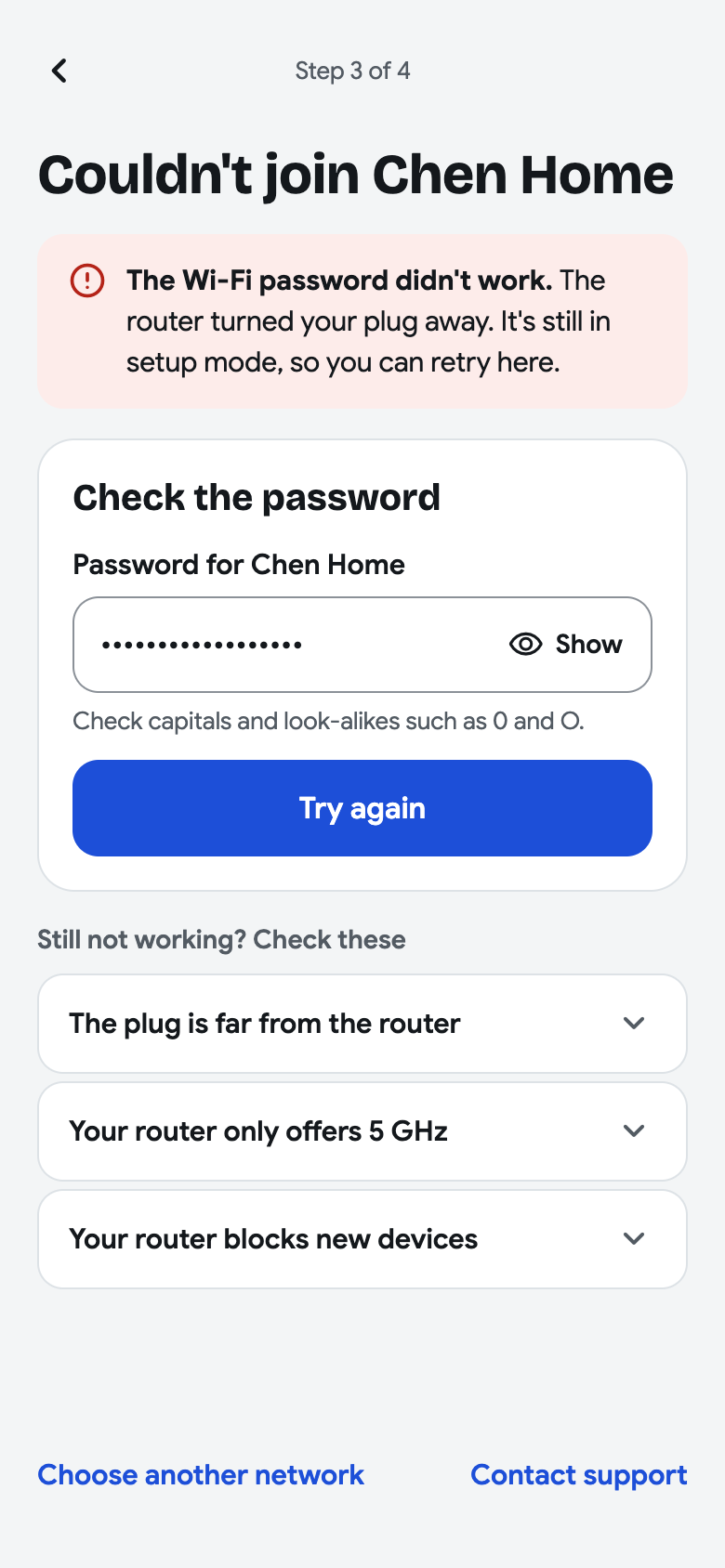
Connection recovery
Fix the problem in place
A password failure brings the field and Try again action together. Other causes, another network, and support remain available without restarting setup.
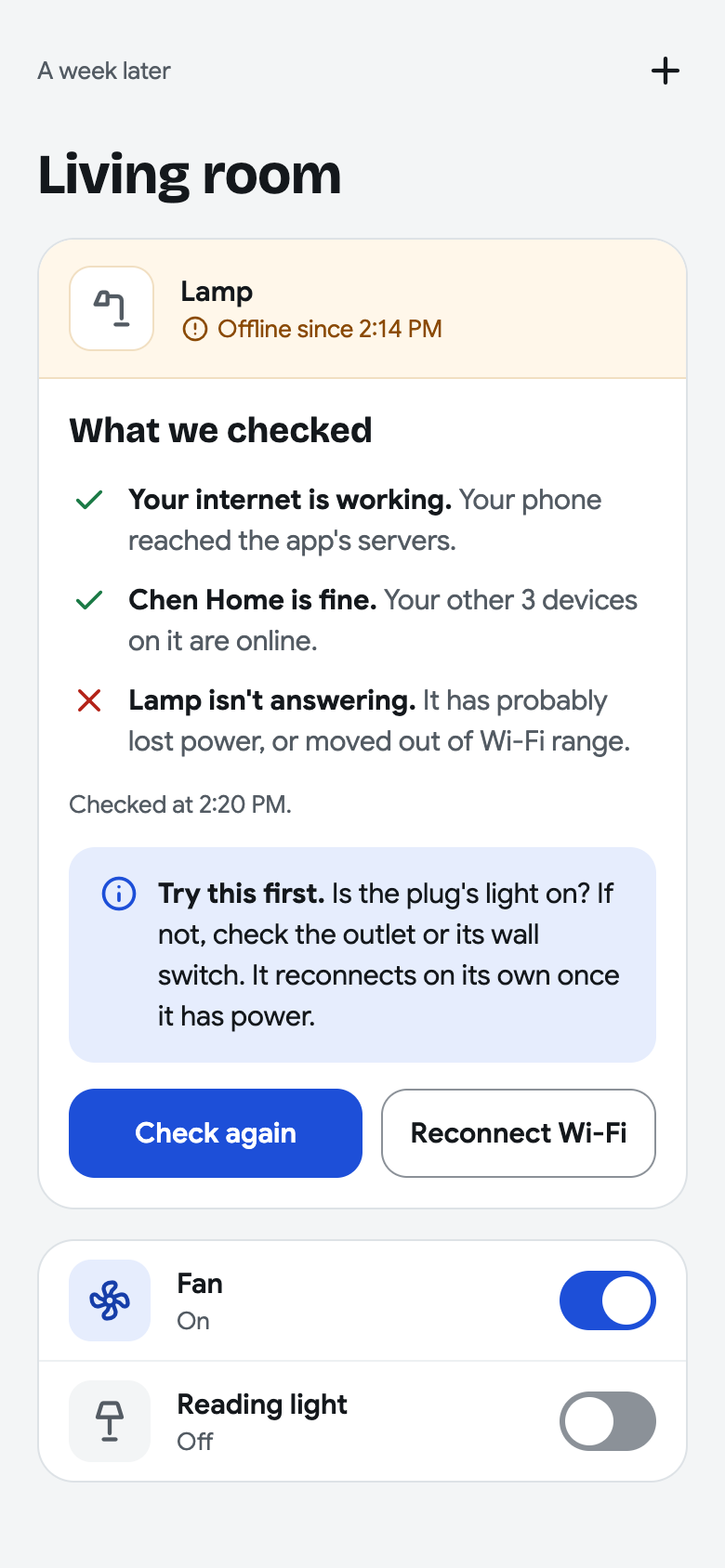
Everyday recovery
Explain why a device is offline
Show when the device went offline, what was checked, and what to try first. The concept separates a device problem from a wider network problem.
04 / Components & handoff
Consistent on screen.
Specific in the details.
Component states connect the flow, while the annotated Wi-Fi screen documents selection, focus, password behavior, and progress. Text and icons carry meaning alongside color.
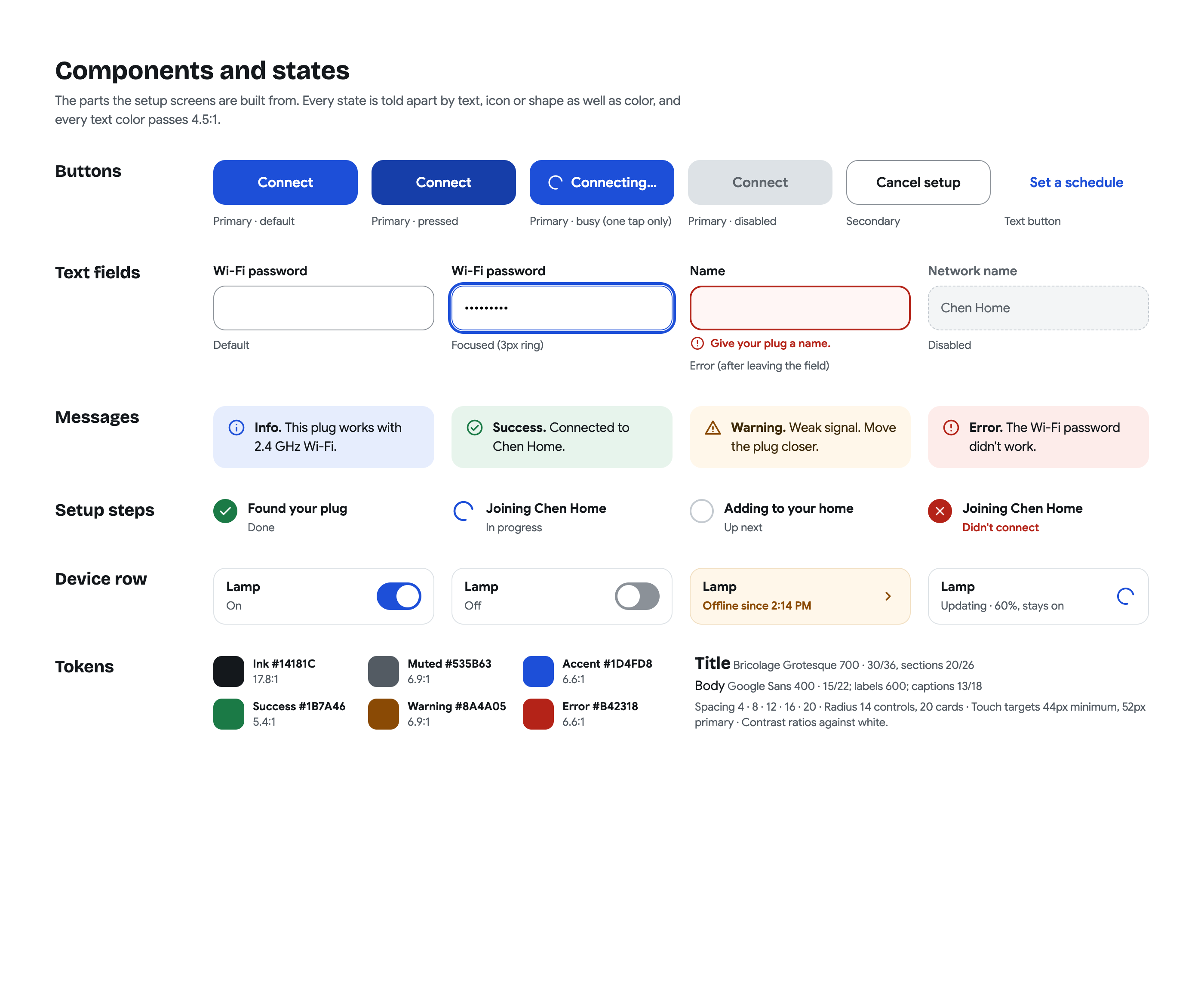
Buttons, fields, messages, progress stages, and device rows share a visual language. States use text, icons, and shape alongside color.
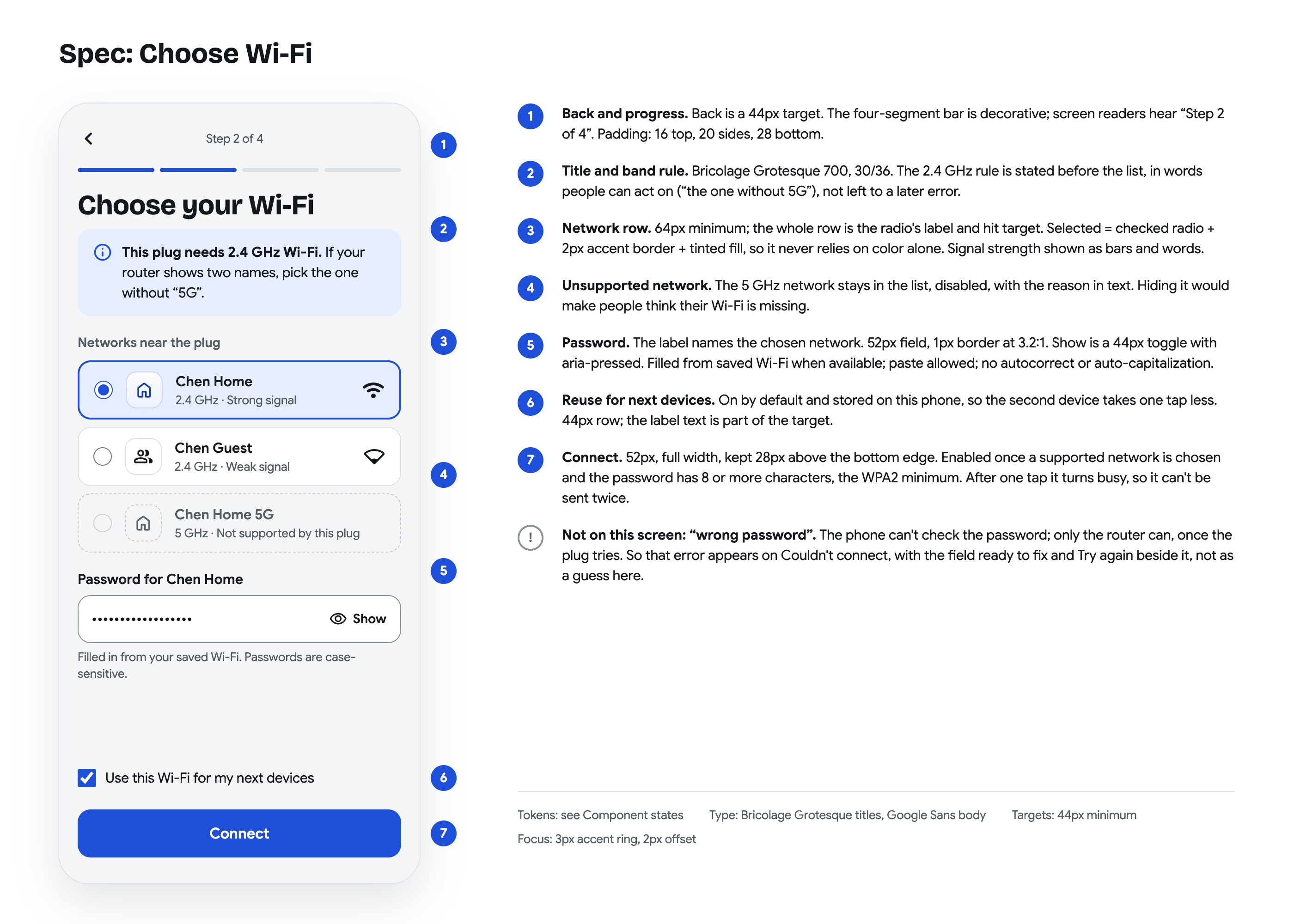
The annotated screen records targets, focus, network selection, password behavior, and when Connect becomes available, with the reason behind each choice.
Designed & documented
Seven high-fidelity screens, the process and flow boards, reusable component states, and an annotated specification form this personal concept.
What comes next
Test first-time setup, a wrong-password recovery, and an offline device with participants. Measure completion, time to a working device, and recovery success after testing establishes a baseline.
05 / Interface collection
The complete
screen collection.
Browse all seven mobile screens, from finding the device and joining Wi-Fi to the first successful switch and the help that brings an offline plug back into use.